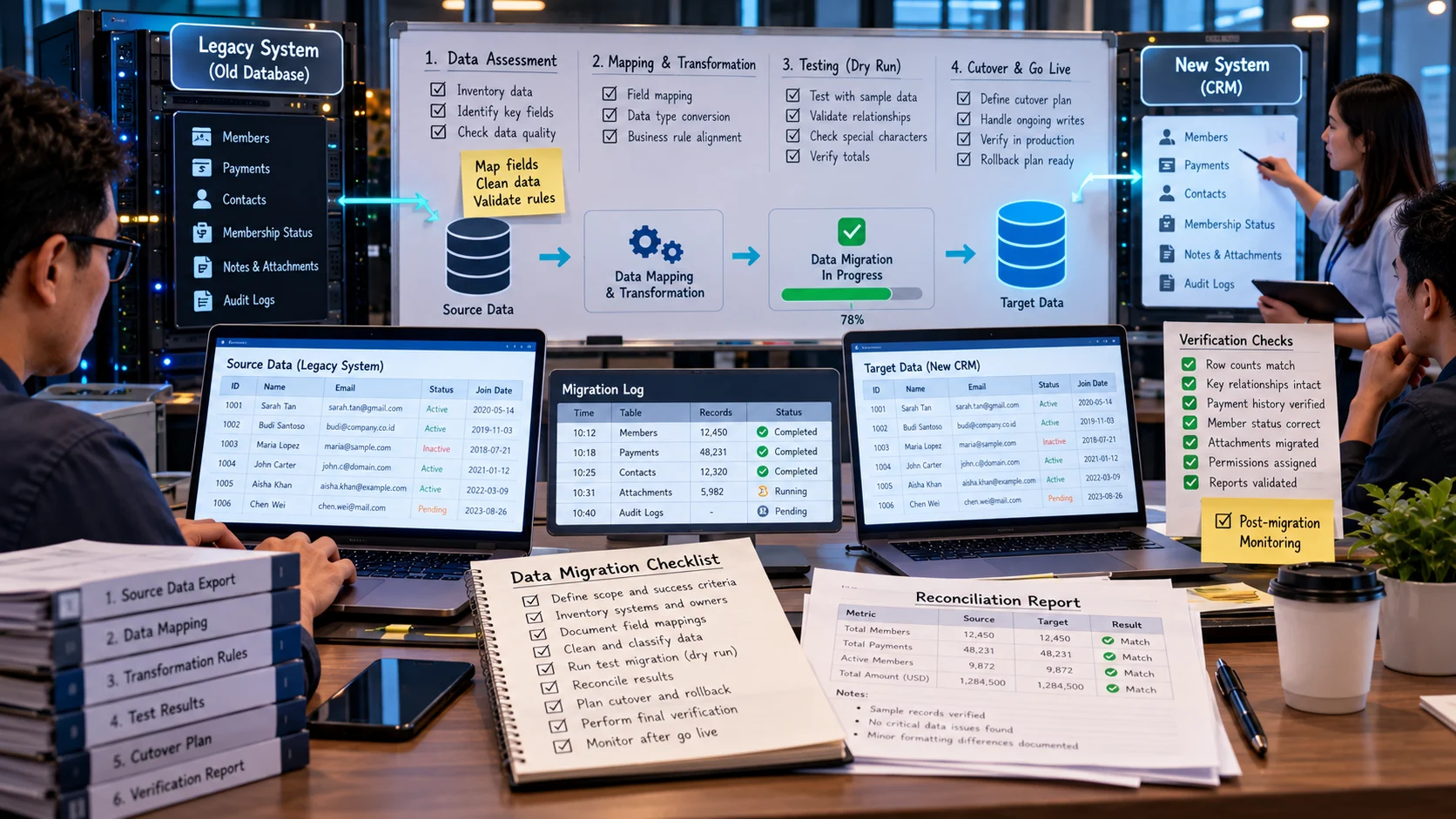
A membership association replaces a legacy database and must preserve payment history, contact preferences, and member status. Data migration moves records from a source system to a target system while preserving meaning, relationships, and operational continuity. Success requires reconciliation, permission controls, and rollback planning. Rather than another overview of integration or digital resilience, this is a phase-by-phase checklist for cutover and verification. Quantitative examples below are hypothetical and should be adapted to the reader’s actual data.
Key Takeaways
Data migration requires mapping, transformation, verification, cutover planning, and operational recovery, not just copying files.
Reconcile relationships, transaction status, and critical totals in addition to row counts.
Dry runs reveal duration, special-character issues, missing fields, and API bottlenecks before production is affected.
Define how writes during cutover will be handled and who can authorize a rollback.
Keep the source system available in a controlled state until users and owners accept the migrated records.
Data Migration Is a Business Transition, Not a File Copy
Data migration moves information between applications, databases, cloud environments, or storage formats. The work may appear simple when both systems can export CSV files. Yet the real problem is preserving meaning, relationships, permissions, and operational continuity while the organization changes systems. A successful transfer should be judged by whether staff can complete their work correctly afterward, not by whether a progress bar reaches 100%.
Consider a company moving from an old sales platform to a new CRM. Contacts may be linked to companies, opportunities, notes, consent records, and past service interactions. Importing every contact row without maintaining those relationships can create a database that looks populated but lacks useful history. Migrating outdated or unlawfully retained information can also carry old problems into the new environment.
Begin With a Source-to-Target Map
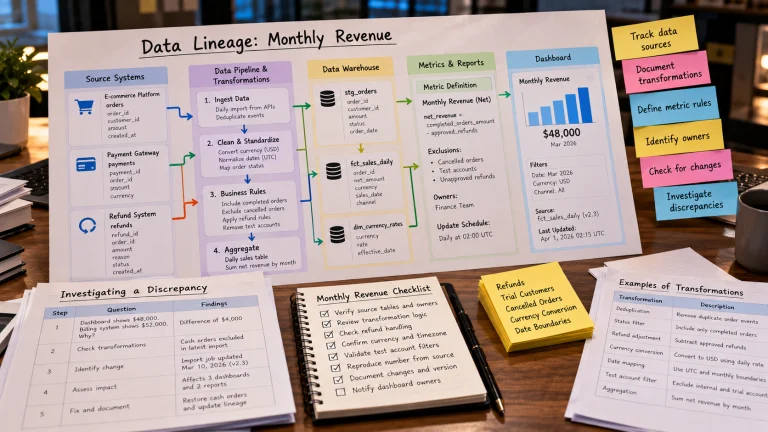
Document every data type that matters: customer records, transactions, product catalogues, identifiers, permissions, attachments, audit logs, and configuration where needed. For each source field, identify the target field, type, transformation, owner, and validation rule. If there is no equivalent target field, decide whether the information should be archived, transformed, or intentionally excluded.
Do not silently change semantics. A source field named customer_status may mean “marketing contactable,” while a target status may indicate “active contract.” Mapping them directly produces incorrect customer classifications. Definitions must be approved by people who understand the underlying process.
Timezones, currency units, address formats, and identifier types require special attention. A transaction timestamp stored in UTC can appear on a different local calendar day if converted without a consistent reporting rule. An integer identifier that fits one system may overflow or lose leading zeros in another. Treat each transformation as a documented decision with tests.
Clean and Classify Before Importing
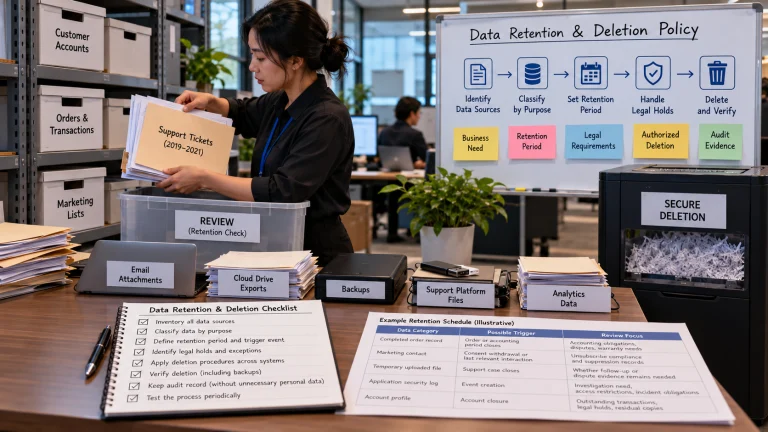
A migration is an opportunity to remove records that no longer need to be retained, but it should not become a careless bulk cleanup. Decide which information must be migrated, which must remain available in a legally appropriate archive, and which can be deleted. Review applicable retention, privacy, contractual, and operational requirements with responsible stakeholders.
Run source-quality checks before mapping. Detect duplicates, broken references, invalid categories, missing required fields, and records already flagged for deletion. Repair issues when authoritative evidence is available, but do not invent values simply to satisfy the target schema. Maintain an exception list so business owners can resolve ambiguous records.
A read-only snapshot of the source at a known moment gives the team a comparison point. If data continues changing during migration, plan an incremental synchronization or a cutover window rather than assuming the two systems will remain identical automatically.
A Practical Migration Checklist
Define the business scope and success criteria. Identify the workflows that must work after launch, such as order lookup, invoicing, and customer support.
Inventory systems and owners. List source tables, APIs, files, attachments, and external integrations. Assign a person accountable for each area.
Document field mappings and transformations. Resolve differences in types, units, statuses, and identifiers before running the full import.
Prepare a small test dataset. Include typical records and difficult cases such as special characters, missing values, multiple related objects, and historical transactions.
Run a rehearsal. Import the sample into a safe environment and test everyday user journeys from the perspective of staff.
Reconcile the results. Compare row counts, unique keys, sums, balances, relationships, and specific sampled records. Explain legitimate differences rather than hiding them.
Plan the cutover and rollback. Set a change freeze or synchronization process, communicate downtime, and establish the conditions for returning to the original system.
Perform final verification. After cutover, test permissions, integrations, reports, attachments, and recent transactions before retiring the source.
Monitor the transition. Track unresolved exceptions, performance problems, failed integrations, and support tickets. Keep migration evidence until the relevant review period ends.
The checklist must fit the system’s risk. A public blog’s newsletter migration may tolerate a short interruption, while a payroll or hospital-system migration demands more extensive testing and formal approval.
Reconciliation Is More Than Counting Rows
Suppose an old system exports 10,000 customer records, and the new system imports 9,850. That difference might result from approved duplicate consolidation, excluded obsolete accounts, failed imports, or an unexpected limit. A row-count comparison highlights a discrepancy but cannot determine whether the result is correct. The migration plan must record every planned exclusion and verify the others.
For financial data, compare control totals and account balances where appropriate. For related objects, verify that every invoice points to an existing customer and every line item points to a valid order. For documents, verify file integrity and accessibility. For permissions, check that staff cannot suddenly see records beyond their authorized scope.
Sample end-to-end histories. Select a customer with multiple transactions, support notes, attachments, and a recent update; verify that the complete relationship survives. A system can pass individual table checks while failing user journeys because links between tables are broken.
Choosing Between Big-Bang and Phased Cutover
A big-bang cutover switches all users to the new system at once. It can avoid lengthy dual operation but concentrates risk at a single moment. A phased migration moves teams, regions, or data groups in stages. It may simplify problem isolation but requires clear rules for which system is authoritative during the transition. Neither approach is universally safer.
Choose according to dependencies and operational constraints. If the old and new applications must exchange transactions for weeks, design robust synchronization and conflict handling. If maintaining two systems creates unacceptable inconsistency, a controlled cutover with rehearsals and rollback may be preferable.
Define “go/no-go” criteria in advance. For example, critical invoice reconciliation must match within approved rules, authorized users must be able to complete essential workflows, and no unresolved data exposure issue may remain. This prevents teams from declaring success solely because the launch date has arrived.
Security and Data Protection During Migration
Migration often creates additional copies in exports, backups, staging databases, and temporary scripts. Protect these copies, restrict administrator access, encrypt data where appropriate, and define their deletion schedule. Review third-party migration tools before giving them broad credentials. Avoid sharing production passwords in spreadsheets or chat messages.
Pay attention to deletion and consent records. If a customer has opted out of marketing, the new system should not reset that choice merely because the field has a different name. A previously deleted profile should not be resurrected from an old archive. Verify retention behavior as carefully as the fields users can see.
What to Document After Launch
A completion report should list migration scope, sources, target versions, approved mappings, reconciliations, unresolved issues, rollback decisions, and sign-off owners. Staff should know where to report discovered discrepancies and how corrections will propagate to downstream systems. Keep the source environment accessible under controlled conditions until retention and rollback requirements are satisfied.
A successful data migration leaves the business with reliable records, working processes, and a clear trail of how information changed. The fastest copy is not necessarily the safest transition; careful mappings, rehearsals, reconciliation, and recovery plans make the move defensible.
Reconciliation when migrating a sales database
A retailer moves orders and customer records from a spreadsheet system into a CRM. Before migration it counts 12,400 order rows and 2,100 customers. After import the counts match, but three orders reference customers whose identifiers changed. Matching row counts alone did not verify referential integrity. A reconciliation plan needs unique-key checks, nullability rules, field mappings, relationship tests, sample record comparisons, and sign-off by the people who use the data.
Control Required evidence
Row reconciliation Counts by record type and status
Value reconciliation Sum of monetary fields with currency rules
Relationship reconciliation Zero unexpected orphan references
Rollback Tested restore or reimport procedure
These sample quantities illustrate the method, not a completed project. Freeze changes or use a delta-sync plan during cutover.
What the example teaches. The new membership database imports the expected number of rows, but one historical status value maps to inactive instead of suspended. Reconciliation by category reveals the problem; a simple row count would not. The team corrects mappings in a trial migration before the live cutover.
Rehearsing Rollback Before the Real Cutover
A rollback plan should identify the conditions under which migration will stop, the person authorized to make that decision, and the sequence needed to restore operation. It must also account for new transactions created after the cutover begins. If customers submit orders in the target system and the team switches back to the old platform, those new orders cannot simply disappear. A carefully designed plan may pause writes, reconcile changes, or use controlled replay depending on the architecture.
Test the recovery procedure with a realistic rehearsal. Confirm that staff can access the original system, credentials remain valid, integrations point to the correct environment, and essential records can be restored. Document how customers and employees will be informed if a rollback occurs. A plan that has never been rehearsed is a hypothesis, not proven operational protection.
Validating Permissions and Identity Mapping
Migration teams naturally focus on data volume, but permissions can be equally important. An account manager should retain appropriate access to their assigned accounts without gaining access to restricted records. Test representative roles, including ordinary users, administrators, temporary staff, and inactive accounts. Verify that deactivated users do not become active again through an imported account list.
Map identities consistently across customer, employee, and system accounts. Old identifiers may be reused by the target platform or have different meanings. Apply stable mapping tables and retain appropriate evidence so post-migration support can investigate why a historical record links to a particular profile.
Final Acceptance Beyond Record Counts
Before declaring success, run a short script of everyday tasks: find a customer, create an order, issue an invoice, retrieve an old attachment, correct a contact detail, and produce the expected report. Include a difficult historical record and an intentionally invalid input. If the data imports successfully but staff cannot complete these tasks, the migration is not functionally complete. Tie final approval to tested outcomes, not only technical completion percentages.
Reconciliation Must Cover Relationships, Not Only Row Counts
A migration can reproduce every customer row and still corrupt relationships if order records reference identifiers that were not mapped correctly. Include referential-integrity checks alongside counts and totals. For example, select a set of orders and verify that each points to the expected customer, currency, payment state, and creation date in the new platform. Compare a few complicated edge cases as carefully as average records: refunded payments, partially fulfilled orders, archived accounts, and records with special characters.
Plan a rollback before the cutover. Decide how to handle writes that occur between the last export and the switchover, how long the legacy system stays read-only, and who decides to stop the migration if reconciliation fails. A successful database copy is only one part of a safe business-system transition.
Practice the Cutover on a Smaller Environment
A dry run should use the same mapping scripts, validation queries, and rollback approach planned for production. Record how long exports and imports take, whether API limits slow the process, and which data types require manual handling. Select a freeze or synchronization window based on actual observed timing rather than optimistic estimates. Keep the original system available in a controlled state until accepted reconciliation results are documented.
Communicate what users will see during the transition: read-only periods, changed URLs, password resets, and support contacts. A technically correct migration can still fail operationally if staff cannot find their work or customers lose access without warning.
Frequently Asked Questions
What should be migrated first?
Start with a small, representative record set that includes related tables and difficult cases. A trial migration reveals mapping problems before the cutover.
Is a backup the same as a rollback plan?
No. Backups preserve recoverable data, while rollback specifies the tested steps, permissions, timing, and operational consequences of returning to the previous system.
How do you verify migration accuracy?
Check field values, relationships, financial totals, key business workflows, access rules, and sampled source records—not row counts alone.
When should the old system be retired?
Only after reconciliation, legal retention review, operational stabilization, and a tested recovery plan. Premature retirement removes evidence needed to correct problems.
Further Reading on ByteScope
Innovation Debt
When Automation Helps—and When It Hurts
Sources and Further Reading
AWS: Database Migration Service Documentation — AWS technical documentation; check current service limits.
Microsoft: Data Migration Guidance — Microsoft product or Azure technical documentation.