
Creating polished visual content once required design skills, specialist software, or professional help. AI image generators have lowered that barrier by allowing people to describe an idea in words and receive a visual result within seconds. Generating an image is easy; generating the right image consistently is much harder. A vague request may produce something attractive but unusable, while a clearer prompt can create a visual that better fits a specific purpose. For beginners, the key skill is communicating visual intent and refining the result.
What Are AI Image Generators?
AI image generators are generative AI systems that create new images from user input, usually text prompts. Some tools can also use reference images or existing visuals to guide the output. The model generates a new visual from patterns learned during training, including relationships among objects, lighting, shapes, and styles. An AI image generator can produce impressive details while still misunderstanding a scene. The system works from learned patterns and instructions, not human creative judgment.
How AI Image Generation Works
The process begins with a prompt that tells the model what the user wants to see. The model interprets the words, connects them with learned visual patterns, and generates an image that fits the request. Many modern systems use diffusion-based methods, which gradually shape visual noise into a coherent image. Users do not need to understand the mathematics behind diffusion. What matters is knowing that clearer instructions give the model better guidance about the final image.
Why Better AI Image Prompts Matter
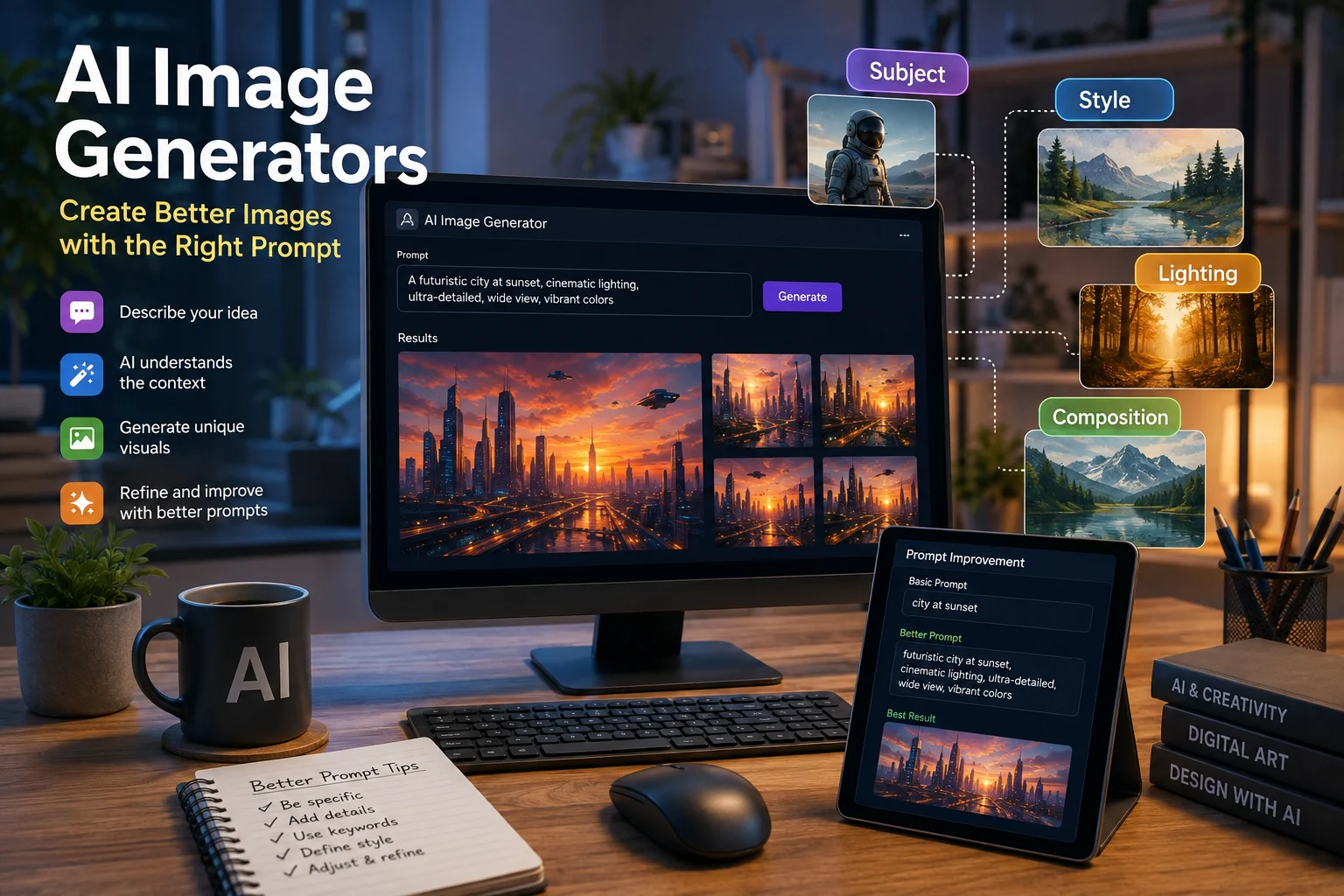
Prompt quality strongly influences output quality because the prompt acts as creative direction. A request such as “a modern office” says little about framing, mood, or visual style. A better prompt might describe a small creative studio, a designer at a desk, soft morning light, a clean editorial aesthetic, and a wide composition. That extra information narrows the possibilities. Clarity and relevance matter more than simply adding more words.
A strong prompt usually combines several visual elements in a coordinated way. The subject identifies the main focus, while the environment explains where it appears. Composition describes how the viewer sees the scene, such as a close-up portrait, centered product shot, or wide cinematic frame. Style can steer the image toward photorealistic, editorial, minimalist, illustrated, 3D, or cinematic aesthetics, while lighting can make it feel soft, dramatic, natural, or polished. Perspective, color direction, and mood can refine the result further without overwhelming the model.
Consider the difference between “a coffee shop” and “a quiet modern coffee shop with wooden tables and warm morning window light.” The second prompt gives the model useful context, while adding “wide editorial composition, muted colors, and a calm atmosphere” makes the visual direction clearer. The refined version describes the setting, lighting, composition, palette, and mood without becoming complicated. This is the basic logic behind better AI image prompts. The goal is not maximum detail, but enough relevant detail to reduce ambiguity.
Creating Consistent Results and Refining Weak Images
Producing one strong image is easier than producing a consistent series. For branding, social media, product concepts, or storytelling, consistency improves when creators reuse the same language for subject appearance, composition, color palette, lighting, and style. Reference images can also help when the same character, product, or design language must appear repeatedly. Generative models still introduce variation between outputs. Consistency usually comes from clear visual direction and repeated refinement rather than one perfect prompt.
The most practical workflow is to treat AI image generation as an iterative process: generate, review, identify problems, adjust the prompt, and regenerate. If the composition is too tight, request a wider frame; if the lighting is too dramatic, specify soft studio light or overcast daylight. Unwanted objects, incorrect proportions, inconsistent details, or the wrong visual style may require removing confusing instructions instead of adding more. Reviewing each result reveals which part of the prompt needs improvement. Several iterations are normal when accuracy or consistency matters.
Common Mistakes Beginners Make
Beginners often use prompts that are either too vague or too crowded. A vague prompt leaves too many decisions to the model, while an overloaded prompt may combine conflicting styles, moods, camera directions, and objects. Another mistake is ignoring composition, even though framing often determines whether an image works for a banner, social post, presentation, or product visual. Accepting the first output can also hide distorted proportions, strange background objects, or unreadable text. AI-generated images should be reviewed with the same attention given to other visual content.
Choosing the Right AI Image Generator
Different AI image generation tools emphasize different workflows, so there is no universal best choice for every user. Image quality and prompt understanding matter, but so do editing features, reference-image support, style flexibility, output resolution, ease of use, cost, privacy, and commercial terms. A concept artist may value different capabilities from a marketer or brand designer. Beginners should choose an AI image generator based on the work they actually need to produce. Rankings of the “best AI image generators” are less useful when they ignore individual workflow requirements.
Human Review, Copyright, and Responsible Use
AI-generated images are not automatically ready for publication. Human review remains important for composition, accuracy, branding, small details, embedded text, and context. Users should read the terms of service and commercial usage conditions of the AI image tool they use, because policies can vary and may change. Copyright questions involving training data and generated outputs remain complex, so broad assumptions about ownership should be avoided. For commercial work, understanding the relevant terms before using generated material is a sensible precaution.
Responsible use also involves consent, representation, and honesty. AI image tools can create misleading scenes or realistic depictions of people and events that never occurred, which can confuse audiences when presented without context. Using a real person’s likeness may raise consent or reputational concerns, while generated imagery can reproduce stereotypes or biased visual patterns. Users should review not only whether an image looks good, but also whether it is appropriate. Technical quality should not replace editorial judgment.
The Future of AI Image Generation
AI image generators are likely to become a more ordinary part of creative workflows. Designers, marketers, educators, photographers, and creators can use them to explore concepts, create drafts, and test visual directions. They can expand the number of ideas people explore before choosing a final direction. As tools improve, some current errors may become less common, but human taste, context, editing, and decision-making will remain important.
Conclusion
AI image generators make image creation more accessible, but accessibility does not guarantee quality. Better results usually come from clear prompts, deliberate visual direction, experimentation, refinement, and careful human review. Beginners who learn to define the subject, environment, composition, style, lighting, perspective, and mood gain far more control than users who type a broad idea and accept the first result. The most useful mindset is to treat the AI image generator as a creative system that needs precise direction rather than a machine that always understands intent. With that approach, creating better AI images becomes a repeatable process instead of a matter of luck.