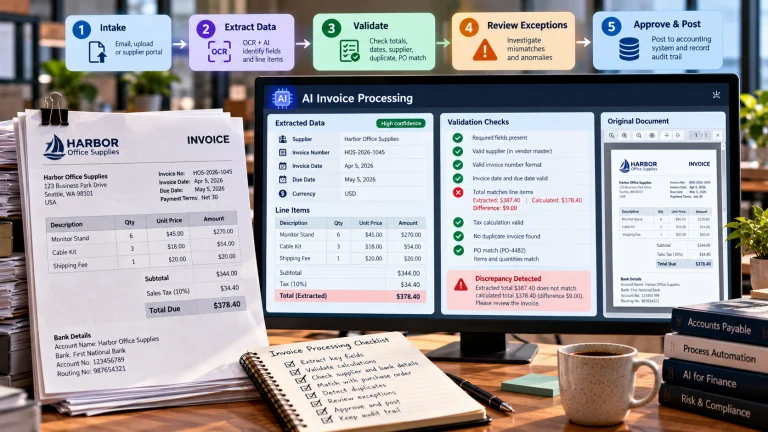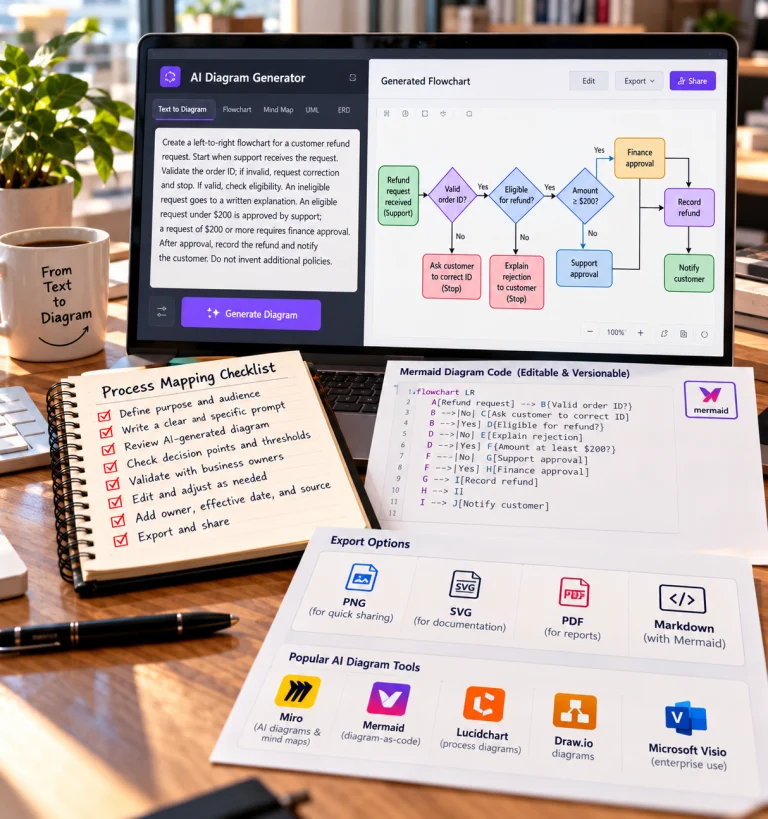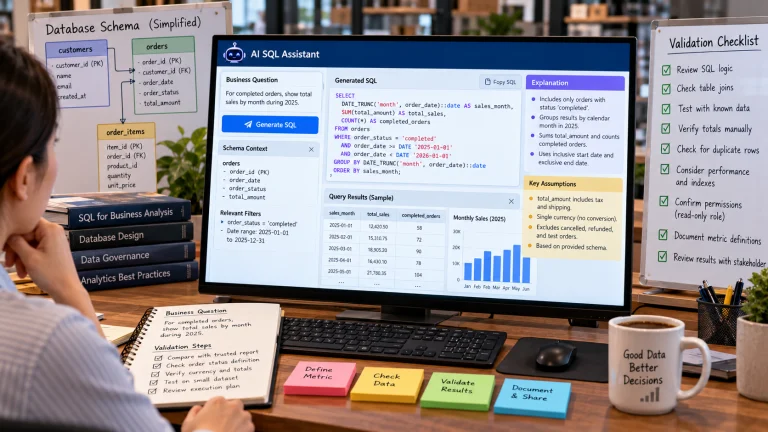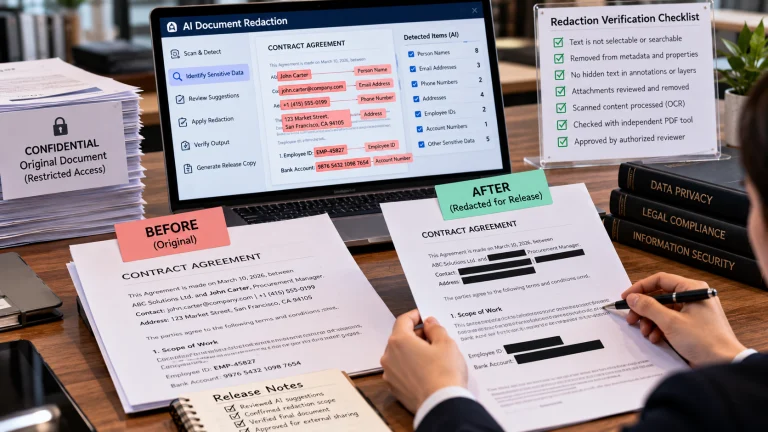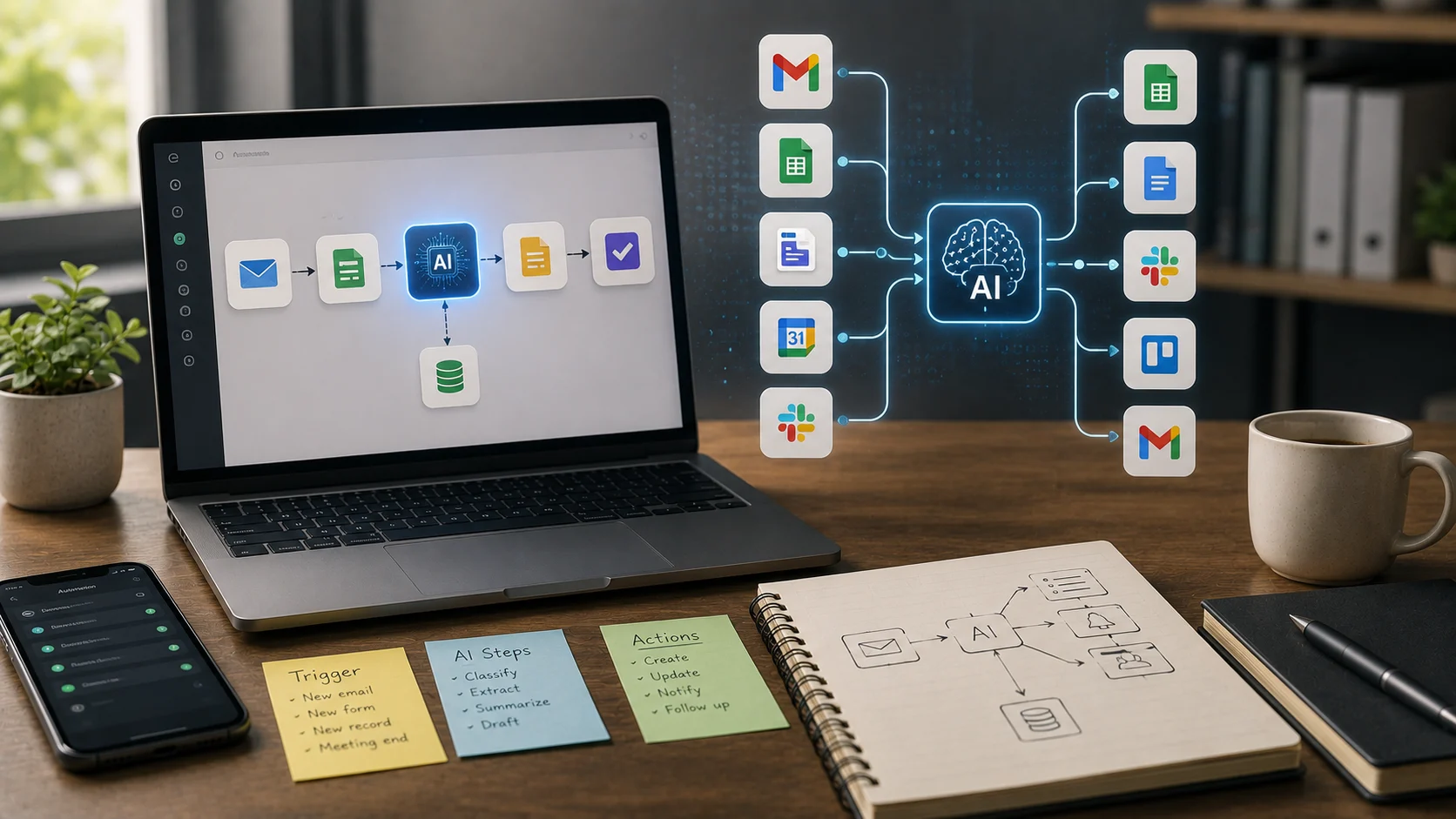
Many workdays are filled with small repetitive transfers of information: copy a form submission into a spreadsheet, create a task from an email, summarize a meeting, notify a team, update a CRM, and generate a follow-up message. AI workflow automation tools connect these steps so they can happen with less manual work.
Traditional automation follows fixed rules. Adding AI allows workflows to summarize, classify, extract, draft, and make limited decisions when the input is less structured.
Triggers and Actions
Most automation begins with a trigger: something happens in one system. A new email arrives, a form is submitted, a record changes, or a meeting ends.
Actions are the steps that happen next. The workflow may create a row, send a message, update a database, or call an AI model.
Where AI Fits
AI is useful when a step cannot be expressed easily with a simple rule. It can classify a customer message, summarize a document, extract fields from text, rewrite content, or choose between several routing options.
Zapier, for example, supports workflows that connect applications and include AI steps or agents.
A Simple Example
A customer submits a support form. The workflow sends the message to an AI classifier, identifies the topic and urgency, creates a ticket in the correct queue, drafts a summary, and notifies the responsible team.
The AI does not need to control the entire system. It performs the unstructured interpretation step inside a larger deterministic workflow.
Automation vs. AI Agents
Traditional automation follows a defined sequence. AI agents can choose actions more dynamically based on a goal.
Modern platforms increasingly combine the two: reliable workflows for predictable steps and agents for tasks that need flexible decisions.
Start With Repetitive Work
The best automation candidates are tasks that happen often, follow a recognizable pattern, and consume time without requiring deep judgment.
Automating a rare or unstable process can create more maintenance than value.
Permissions
Every connected app increases the importance of access control. An automation that only needs to read calendar events should not receive permission to delete them.
Use the minimum privileges required, especially when AI can decide which action to take.
Human Approval for High-Impact Actions
Sending an internal notification can often be fully automated. Sending a payment, deleting customer records, publishing public content, or changing security settings should usually require stronger validation or human approval.
This is a practical application of AI guardrails.
Testing and Error Handling
Workflows fail when APIs change, fields are missing, authentication expires, or AI output does not match the expected structure.
Build error paths, retries, logging, and alerts. Test with unusual input rather than only perfect examples.
Measure the Real Benefit
Track time saved, error rates, processing speed, and the amount of human correction still required.
A workflow that runs automatically but creates frequent cleanup work is not truly efficient.
The Bottom Line
AI workflow automation combines application integrations with AI capabilities such as classification, summarization, extraction, and decision support.
The most reliable systems use AI where flexibility is useful and deterministic rules where predictability matters. Start small, restrict permissions, test failures, and add human approval when actions have serious consequences.
A Practical Checklist Before You Rely on Ai Workflow Automation
Define the job first. Decide what success means before choosing a model or product. A system can look impressive in a demo while solving the wrong problem. Write down the expected output, the information it may use, the acceptable error rate, and which decisions still require a person.
Test representative examples. A useful first test is to automate one repetitive low-risk process first and deliberately test missing data, authentication failures, and unusual inputs. Include normal cases and difficult edge cases. The goal is to learn where the system is dependable and where it needs stronger instructions, additional tools, or human review.
Verify important outputs. Do not confuse fluency with correctness. Check facts, calculations, citations, permissions, and important transformations against a reliable source. The more expensive or difficult an error would be to reverse, the stronger the verification process should be.
Review privacy and access. Understand what information is being sent to the system, where it is stored, and who can retrieve it later. Give connected AI tools only the permissions they need. Sensitive data should follow the same governance rules that apply elsewhere in the organization.
Measure value over time. Track time saved, correction rate, reliability, user satisfaction, and operational cost. A tool that feels fast during the first week may not create lasting value if people spend the same amount of time fixing its output.
Common Mistakes to Avoid
One common mistake is choosing technology before defining the workflow. Another is testing only ideal examples. Teams also tend to add automation without planning what happens when the model is uncertain, the data is missing, or a connected service fails.
The most important limitation to keep in mind is that a workflow can scale mistakes just as quickly as it scales correct work. Build the workflow around that reality rather than assuming future model improvements will automatically solve it.
Frequently Asked Questions
Is AI workflow automation always more accurate than a simpler approach?
No. AI is valuable when the task benefits from language understanding, pattern recognition, generation, or flexible decision support. A deterministic rule, database query, spreadsheet formula, or conventional software function can be better when the task is predictable and exact.
Should I pay for a AI workflow automation product immediately?
Usually not. Start with a free tier, trial, or small pilot when one is available. Use it on real work and measure whether it saves time or improves quality. A paid plan becomes easier to justify when limits, collaboration, privacy, integrations, or higher-quality features solve a recurring problem.
What is the safest way to start using AI workflow automation?
Begin with a narrow, reversible use case. Keep source material or original data available, review the output manually, and document the situations where the system fails. Expand automation only after the workflow performs consistently on representative examples and users know how to recover when it is wrong.